You plugged in a cable and assumed it would behave like a faster, more reliable version of WiFi. That assumption costs plants and offices real money. When a SCADA poll times out because someone swapped a Cat5e run for a wireless bridge “to save installation cost,” the PLC misses a cycle, the alarm queue fills, and you’re chasing a phantom fault for two hours before anyone thinks to check the network topology. The underlying problem isn’t the hardware — it’s treating wired and wireless as interchangeable technologies that just happen to carry the same data.
Cable and WiFi are not the same technology dressed differently. Ethernet cable transmits signals through copper conductors with latency typically in the 1–5 ms range and signal loss around 0.1 dB per meter at 100 MHz — predictable, bounded, physics you can calculate. WiFi propagates radio waves through open air and whatever is in the way, producing latency that swings between 20 and 100 ms under normal office or plant conditions, and losing 15–20 dB pushing through a single concrete wall. They share a protocol family and look identical in a browser, but their behavior under load, interference, and distance is fundamentally different.
What makes this genuinely worth understanding — especially if you’re specifying infrastructure for a new facility or auditing an existing one — is that the gap between cable and WiFi isn’t just about speed on a spec sheet. It shows up in ways that are easy to misdiagnose: intermittent dropouts blamed on switches, latency spikes written off as server lag, throughput complaints that no firmware update will ever fix. The physics driving those failures were locked in the moment someone chose wireless over wire, or chose the wrong category of wire entirely.
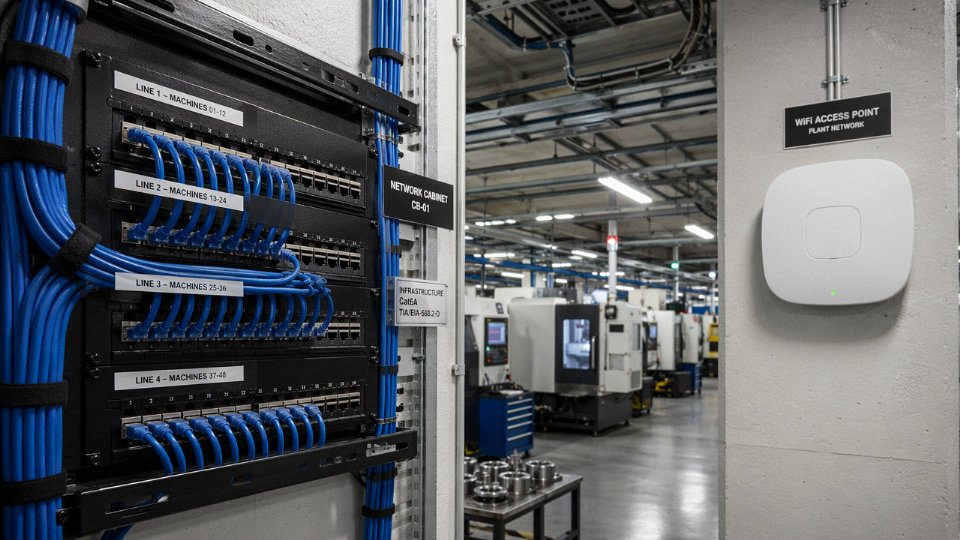
How Wired Ethernet Cables Physically Transmit Data: Conductors, Insulation, and Signal Integrity
At its core, a copper Ethernet cable is doing something elegant and almost counterintuitive: it sends two equal-but-opposite voltage signals down a twisted pair simultaneously, then at the receiving end subtracts one from the other. Any noise that couples onto the pair hits both conductors nearly equally, so it cancels out. This is differential signaling, and the twist rate — typically 1 to 4 twists per inch depending on category — is not cosmetic. It’s the primary defense against electromagnetic interference from adjacent pairs and external sources. Get the twist rate wrong in manufacturing and you’ve built a very expensive antenna.
Conductor gauge matters more than most procurement specs acknowledge. Standard structured cabling runs AWG 24 solid copper for fixed installations; patch cables often use AWG 26–28 stranded for flexibility, with a small but real penalty in attenuation. Cat6A solid-core conductors typically sit at AWG 23, slightly heavier, which is part of why Cat6A cable is noticeably stiffer and bulkier than Cat5e — a practical headache when you’re pulling 500-meter runs through a congested conduit in a manufacturing hall. The insulation around each conductor does real electrical work too. HDPE (high-density polyethylene) is common in Cat6 and Cat6A because of its low dielectric constant, which keeps signal propagation delay down. FEP (fluorinated ethylene propylene) appears in plenum-rated cables — it’s more expensive, roughly 20–40% premium over standard, but it won’t generate toxic smoke in an air-handling space. Jackets are typically PVC for general use or LSZH (low-smoke zero-halogen) where fire codes or customer specs demand it, particularly common in European industrial and rail projects.
Fiber optic cable operates on an entirely different physical principle. Data travels as modulated pulses of light through a glass or plastic core — no electrons, no magnetic fields, no susceptibility to the 50 Hz hum from a nearby motor drive or the RF bleed from a welding robot. In industrial environments, that immunity isn’t a nice-to-have. It’s often the deciding factor. Single-mode fiber (9/125 µm core/cladding) carries a single light path and is the right choice for runs beyond roughly 300–500 m or where you need 10G+ over long distances. Multimode OM4 (50/125 µm) is the standard for in-building and campus runs up to around 400 m at 10 Gbps, using 850 nm VCSEL sources that are cheaper to terminate and test. OM4’s modal bandwidth — typically 4700 MHz·km — gives it solid headroom for 40G and 100G applications without jumping to single-mode costs.
Cat6A copper cable supports up to 10 Gbps at 100 meters under TIA-568 test conditionsTrue
TIA-568-C.2-1 specifies Cat6A for 10GBASE-T operation at 100 m, with required insertion loss of no more than 20.9 dB at 500 MHz and NEXT loss of at least 35.7 dB at 500 MHz.
Signal integrity for Cat6A at 250 MHz benchmark frequency: insertion loss should be no worse than roughly 16–18 dB per 100 m depending on temperature (loss increases measurably above 20°C — budget an extra 0.4% per degree Celsius above that baseline), NEXT should clear 44 dB minimum, and return loss should hold above 20 dB. These aren’t aspirational numbers; they’re pass/fail thresholds in IEC 61156 and TIA-568 compliance testing. A reel that fails return loss typically has an impedance discontinuity — bad connector termination, a kink in the cable, or a splice — not a bulk cable defect. In practice, field failures usually trace back to installation, not the cable itself.
Manufacturing to these tolerances at volume requires process control that goes well beyond pulling copper through a die. Jinda’s five production bases across China, covering 470,000 m² of manufacturing space, run continuous electrical test protocols aligned to IEC 61156 and TIA-568, with samples pulled per production lot for full parameter sweeps — not just a continuity check. Attenuation, NEXT, propagation delay skew, and return loss are all verified before a reel ships. At the scale Jinda operates, that consistency matters to a procurement manager buying 50,000 meters for a data center fit-out or a factory automation project: the 500th reel should measure the same as the first.
The fundamental point — the one that makes all the performance comparisons meaningful — is that a physical cable is a deterministic, closed channel. The signal path is fixed and bounded. No other device can inject energy into it without physically breaching the cable. No neighboring network competes for bandwidth. No concrete wall appears between transmitter and receiver. That structural certainty is what WiFi, by its nature, cannot offer, and it’s the right starting point before looking at any latency or throughput figure.
How WiFi Transmits Data: Radio Frequency Propagation, Bands, and the Shared-Medium Problem
Where a copper Ethernet cable confines its signal to a twisted-pair conductor — a controlled, private channel — WiFi broadcasts electromagnetic energy into open space and hopes the right device catches it. That fundamental difference shapes everything downstream: throughput, latency, reliability, and how badly a dense environment punishes you.
IEEE 802.11 Standards, Frequency Bands, and What You Actually Get
The 802.11 standard family has evolved steadily since the late 1990s, and each generation mostly added speed on paper while the real-world numbers lagged considerably behind.
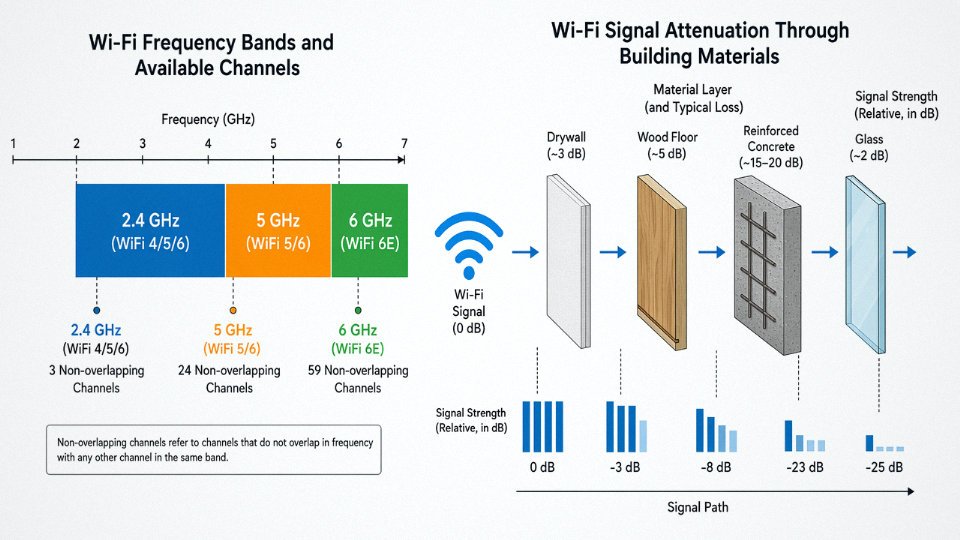
802.11n (WiFi 4) introduced dual-band operation — 2.4 GHz and 5 GHz — and multiple antennas. 2.4 GHz travels farther and penetrates walls more easily, but it shares spectrum with Bluetooth, baby monitors, microwave ovens, and every neighbor’s router on the same three non-overlapping channels. In practice, a dense office building running 2.4 GHz is a traffic jam. Real throughput in a loaded environment: roughly 20–80 Mbps, heavily dependent on client count and interference floor.
802.11ac (WiFi 5) pushed clients toward 5 GHz, which offers more non-overlapping channels and less legacy congestion, at the cost of range. Expect 200–500 Mbps in a typical open office; drop one concrete column between the client and access point and that can fall by half or more.
802.11ax (WiFi 6/6E) introduced OFDMA and the 6 GHz band (WiFi 6E), which currently carries almost no legacy interference because older devices simply cannot use it. Theoretical peak sits at roughly 9.6 Gbps across all spatial streams combined. Realistic single-client throughput in a well-engineered deployment: 1–2 Gbps, depending heavily on channel width (80 vs. 160 MHz), client hardware quality, and how many devices are active simultaneously. WiFi 7 (802.11be) expands this further with 320 MHz channels and multi-link operation, but it is still being deployed and real-world data is thin.
OFDMA, MU-MIMO, and the Contention Problem
WiFi 6 introduced OFDMA — Orthogonal Frequency Division Multiple Access — which subdivides a channel into smaller resource units so an access point can serve multiple clients in the same transmission window. MU-MIMO (multi-user, multiple input/multiple output) adds spatial separation on top of that, letting the AP aim distinct data streams at different devices using antenna beamforming.
These are genuinely clever mechanisms. But they are mechanisms for managing a shared medium, not for eliminating the problem. Every client in range is still competing for the same spectrum. Scheduling overhead, backoff timers, and the coordination signaling between AP and clients all add latency that simply does not exist on a dedicated Ethernet port. That is why WiFi latency typically runs 20–100 ms under normal home and office conditions, versus 1–5 ms for wired Ethernet — and under contention, WiFi latency spikes in ways that wired connections do not.
Physical Obstacles and Multipath Fading
Signal attenuation through common building materials is not theoretical — it is measurable and it compounds fast. Drywall costs you roughly 3 dB per layer. A wood floor runs about 5 dB. Reinforced concrete, common in industrial facilities and multi-story commercial buildings, imposes 15–20 dB of loss per wall. Each 3 dB reduction halves the received signal power, so two concrete walls can reduce your effective signal to roughly one quarter of its free-space value before you have even accounted for distance.
Multipath adds another layer of trouble. Radio signals reflect off metal shelving, machinery, HVAC ductwork, and wet concrete floors, arriving at the receiver at slightly different times. Those out-of-phase copies interfere with each other — constructively in some spots, destructively in others. MIMO antennas partially compensate by processing multiple signal paths simultaneously, but “partially” is the operative word. Move a forklift, rearrange pallet racking, or change seasonal humidity in an uninsulated building and your RF environment shifts.
Industrial and Commercial Interference: The Real Killer
In a warehouse or factory, 2.4 GHz WiFi contends with a surprising range of interference sources. Industrial microwave ovens, induction heaters, arc welders with poor shielding, and dense clusters of Bluetooth scanners all occupy overlapping spectrum. Even in a commercial office, a floor with 40 laptops, a dozen wireless headsets, and a handful of neighboring tenants’ access points bleeding through the ceiling creates measurable throughput degradation.
WiFi spectrum in the 2.4 GHz and 5 GHz bands is an unlicensed, shared public resource governed by regional regulations (FCC Part 15 in the United States, ETSI EN 301 893 in Europe), meaning any individual installation shares spectrum with nearby devices it does not control.True
Both the FCC and ETSI designate these bands as unlicensed, requiring devices to tolerate interference and not cause harmful interference to others. No operator can claim exclusive use of 2.4 GHz or 5 GHz spectrum in a shared building or industrial campus environment.
That regulatory reality is worth sitting with. A cable plant is yours — you own the signal path from switch port to device. A WiFi deployment operates on borrowed spectrum. A new tenant on the floor above you, a city-run outdoor mesh network, or a high-density event in a neighboring facility can degrade your wireless performance without doing anything wrong. Cable infrastructure simply does not have an equivalent failure mode.
Head-to-Head Performance Benchmarks: Speed, Latency, Jitter, and Reliability Under Load
Numbers settle arguments faster than analogies, so let’s look at what these technologies actually deliver — not under ideal lab conditions, but in the kind of environment most of us actually work in.
Speed: Rated vs. Real-World Throughput
The table below uses real-world sustained throughput where available, not marketing peak figures.
| Medium | Rated Max Speed | Practical Distance | Real-World Sustained Throughput |
|---|---|---|---|
| Cat5e | 1 Gbps | 100 m | 900–950 Mbps (depends on install quality) |
| Cat6 | 1 Gbps | 100 m | ~950 Mbps, lower crosstalk than Cat5e |
| Cat6A | 10 Gbps | 100 m | 9–9.5 Gbps in clean installations |
| Cat8 | 25–40 Gbps | 30 m | Used in data-center top-of-rack runs |
| OM4 Fiber | 100 Gbps | up to 400 m | Essentially line-rate; no copper interference |
| WiFi 5 (802.11ac) | ~3.5 Gbps theoretical | Open space | 400–700 Mbps average in practice |
| WiFi 6 (802.11ax) | ~9.6 Gbps theoretical | Open space | 1–1.5 Gbps average; degrades sharply with walls or load |
WiFi 6’s theoretical peak assumes ideal channel conditions, no competing devices, and a client that fully supports the standard. In a real office or factory, expect roughly one-sixth of that headline number.
Cat6A cable sustains 10 Gbps at 100 m under normal operating conditionsTrue
Cat6A is standardized to IEEE 802.3an and TIA-568-C.2-1 for 10GBASE-T at 100 m, provided the installation meets channel requirements including proper termination, bend radius, and shielding where specified.
Latency and Jitter: Why These Numbers Matter More Than Raw Speed
Round-trip latency for wired Ethernet sits in the 1–5 ms range depending on switch hops and cable length. WiFi under typical office or home conditions runs 20–100 ms, and that’s before congestion hits. The gap feels abstract until you’re commissioning a PLC-based conveyor control loop and your integrator reports the machine is dropping commands intermittently — nine times out of ten in my experience, the culprit is wireless latency or jitter, not anything mechanical.
Jitter is arguably worse than raw latency for real-time applications. Wired jitter stays under 1 ms in a properly terminated installation. WiFi jitter can swing 5–30 ms depending on channel utilization, competing BSSIDs, and physical obstructions. VoIP encoding handles, say, 50 ms of consistent latency just fine, but it falls apart with unpredictable 20 ms swings. Same goes for video conferencing codecs and any control system with a tight scan cycle.
What Happens Under Load: The Shared-Medium Problem in Practice
Cable gives each device a dedicated channel between its NIC and the switch port. A switch with 24 Cat6A ports and a 10 Gbps uplink gives each connected device its own lane — one device hammering the network does not eat into another device’s bandwidth, assuming proper QoS and switching architecture.
WiFi is a shared medium. Every device associated with the same access point competes for airtime. With one client, a WiFi 6 AP might realistically push 1.2 Gbps. Add five more clients doing simultaneous throughput and that per-client figure drops to somewhere in the 150–300 Mbps range — roughly a six- to eight-fold reduction. At ten concurrent active clients, many installations see per-client throughput fall below 100 Mbps, and that’s with a decent AP in an unobstructed room.
Packet Loss and TCP Overhead
A well-maintained wired Ethernet segment — clean terminations, no damaged patch cables, no failing switch ports — typically shows packet loss below 0.01%. WiFi in a congested or obstructed environment runs 0.5–3%, sometimes higher near dense 2.4 GHz interference.
That difference compounds quickly. TCP responds to packet loss by cutting its congestion window, retransmitting dropped segments, and backing off. A 1% packet loss rate can reduce effective TCP throughput by 30–50% depending on round-trip time and the application’s buffer depth. For large file transfers across a facility, that overhead is measurable and annoying. For a real-time control application, it can mean a fault.
PoE: A Capability WiFi Simply Doesn’t Have
Power over Ethernet delivers DC power alongside data on the same cable run — standard PoE (IEEE 802.3af) at up to 15.4 W per port, PoE+ (802.3at) up to 30 W, and PoE++ (802.3bt) up to 90 W. This powers IP cameras, VoIP handsets, industrial sensors, and even small access points from the switch port itself, eliminating a separate power run to each device. In a warehouse retrofit where running new power conduit costs $80–150 per meter installed (depending on the facility and local labor rates), PoE can cut deployment cost substantially.
WiFi carries no power. Every wireless device still needs its own power source — battery, USB, or mains. That’s an infrastructure and maintenance reality that gets glossed over in wireless-first discussions.
Security and Interference Immunity: The Industrial and Mission-Critical Case for Cable
For consumer use, the security gap between cable and WiFi is easy to dismiss. At home, WPA3 feels good enough. But on a factory floor running variable-frequency drives, in a financial trading room processing microsecond-order transactions, or in a hospital where a dropped packet on a monitoring system has genuine consequences — the gap stops being academic.
Physical Interception: Why You Can’t Sniff What You Can’t Touch
A signal traveling down a shielded twisted-pair cable stays in the cable. To intercept it, someone needs physical access to the conductor — a tap, a splice, a compromised patch panel. With optical fiber, it’s even harder; bending a fiber to extract evanescent light requires specialized equipment and leaves detectable signal loss. This physical containment is why ISO/IEC 27001’s infrastructure controls treat shielded cabling (STP, SFTP, or fiber) as the baseline for sensitive network segments rather than a premium option. Data centers and government networks don’t run fiber because it’s fashionable. They run it because the threat model demands it.
WiFi doesn’t offer this. The signal radiates in every direction, through walls, into parking lots, across property lines. Passive RF sniffing requires nothing more than a laptop with a wireless adapter in monitor mode and freely available software. Evil-twin access point attacks — where an attacker spoofs a legitimate AP’s SSID to intercept credentials and session traffic — are trivially easy to execute and surprisingly difficult to detect at scale. KRACK-type vulnerabilities (the Key Reinstallation Attack class disclosed in 2017) demonstrated that even well-implemented WPA2 handshakes could be manipulated, and while WPA3 closed several of those specific holes, it does not change the fundamental physics: you are broadcasting data over a shared, public frequency band.
WPA3 encryption eliminates the risk of WiFi eavesdroppingFalse
WPA3 addresses specific protocol weaknesses but cannot prevent passive signal capture, rogue AP attacks, or vulnerabilities in client implementations. The underlying RF broadcast medium remains inherently exposed in a way shielded cable is not.
EMI in Industrial Environments: Where WiFi Simply Fails
Walk through a heavy manufacturing facility — arc welders, large induction motors, variable-frequency drives on every major machine, high-voltage switchgear cycling dozens of times per shift — and you’re walking through a broadband EMI environment that will degrade or outright kill a 5 GHz WiFi link. VFDs alone generate switching transients across a wide frequency spectrum; a 100 kW drive running hard is not a polite neighbor to an 802.11ac radio. I’ve seen sites where WiFi coverage maps looked fine during commissioning, then fell apart completely once production ramped up and every drive on the floor came online simultaneously. Seasonal effects matter too — a poorly grounded system behaves differently in dry winter air than in summer humidity.
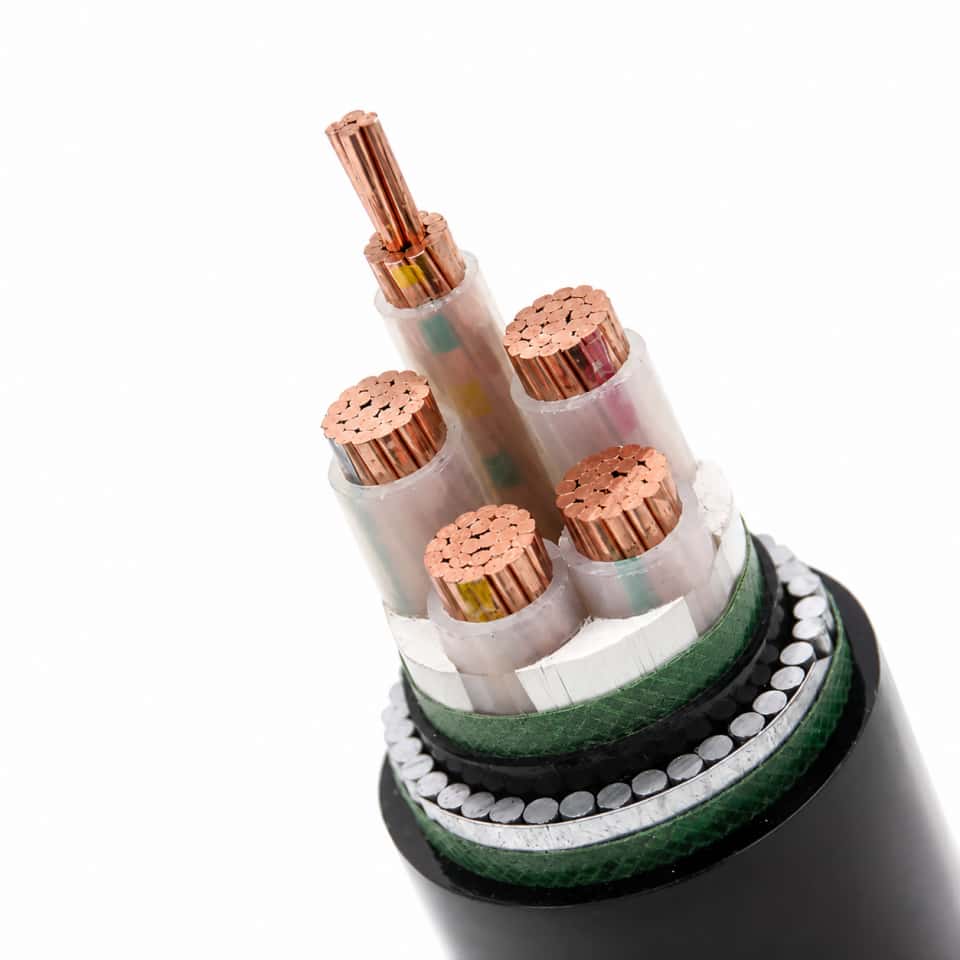
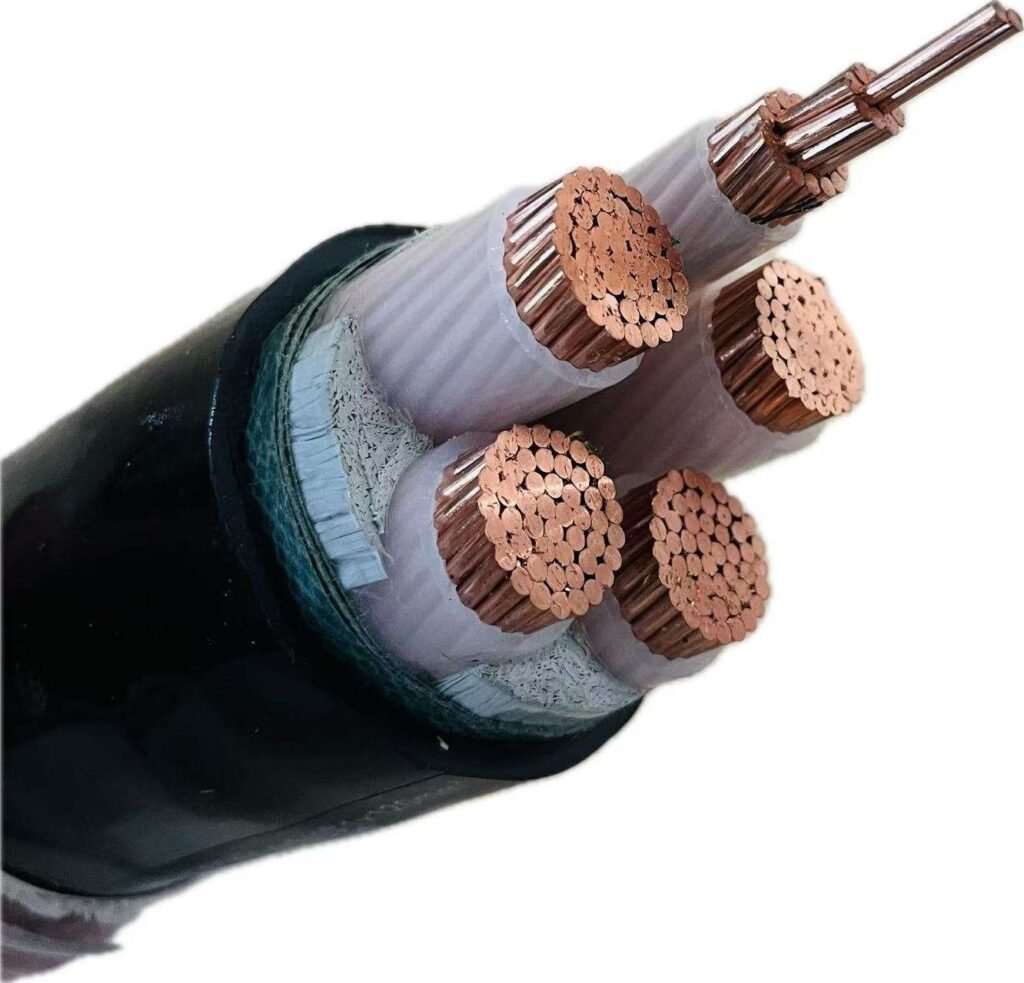
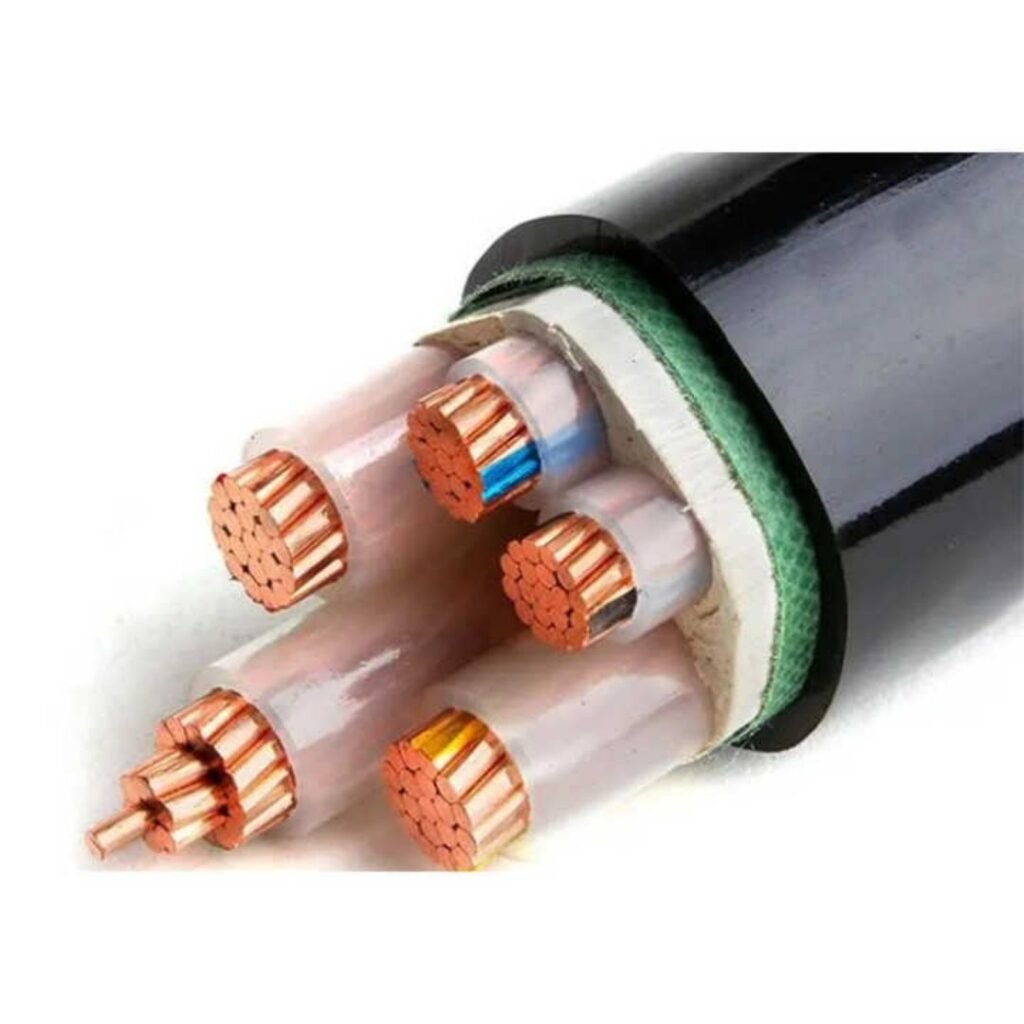
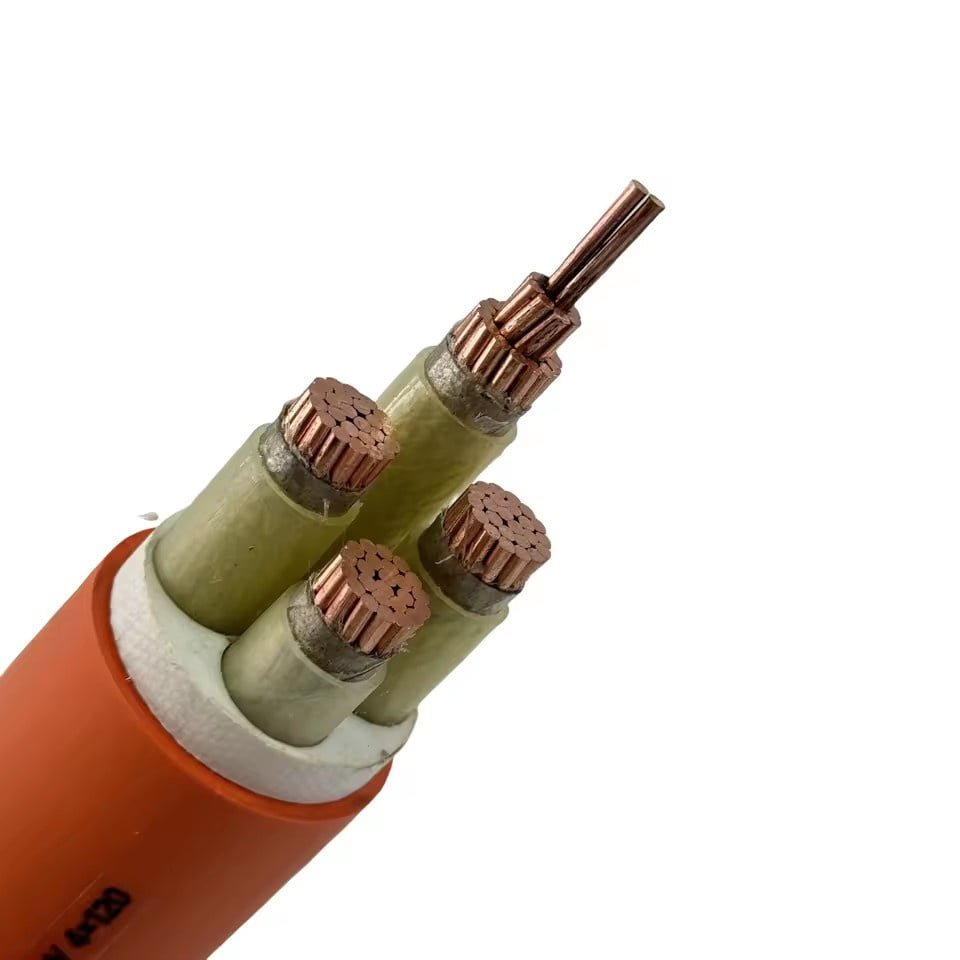
Shielded industrial cables are designed for exactly this punishment. Armored XLPE control cables with foil-and-braid shielding, tested to IEC 62153-4, maintain signal integrity in environments where wireless simply cannot. The shield doesn’t just attenuate incoming EMI; properly grounded at one or both ends depending on the application, it also prevents the cable from becoming an antenna that radiates back into sensitive instrumentation.
Jinda’s shielded instrumentation, control, and power cable range is built around this reality. With over 1,000 employees across five production bases and manufacturing processes that include in-house shielding effectiveness testing, the engineering controls exist to verify that a finished cable meets the IEC/IEEE specifications on paper rather than just claiming compliance on a datasheet. That matters when a cable is going into an oil refinery or a substation — not somewhere you want to discover a shielding deficiency after installation.
Regulatory Mandates Aren’t Optional
Certain industries have stopped treating this as a design preference. ATEX and IECEx hazardous area classifications in oil, gas, and chemical plants impose strict requirements on electrical equipment and cabling in explosive atmospheres — requirements WiFi access points generally cannot meet without significant protective engineering. IEC 60601-1-2 sets EMC immunity floors for medical electrical equipment, and in practice most hospital network infrastructure uses cabled connections for anything touching patient monitoring or life support, even when WiFi exists in the same building for general use. Railway signaling infrastructure follows EN 50121, which defines radiated emission and immunity levels that would disqualify standard commercial WiFi gear outright.
These aren’t bureaucratic preferences. They reflect decades of failure-mode analysis across industries where a connectivity dropout has a defined, sometimes fatal consequence. Cable won those arguments a long time ago.
When WiFi Is the Right Choice: Mobility, Retrofit Scenarios, and Hybrid Architecture Design
Cable wins on raw performance. That’s been established. But any engineer who tells you cable is always the right answer hasn’t spent much time on a busy warehouse floor or tried to quote structured cabling in a 19th-century listed building.
Mobility Applications Where Cable Simply Cannot Follow
There are entire device categories where WiFi isn’t a compromise — it’s the only sensible answer. A counterbalance forklift moving 80 cycles a shift through a receiving bay cannot be tethered to anything. A nurse pushing a vital-signs cart from room to room at 2 a.m. needs real-time connectivity without tripping hazards. Retail associates scanning inventory with handheld Zebra or Honeywell units on a shop floor, construction supervisors pulling BIM models on a tablet three floors up from the nearest patch panel — these are mobility-first applications where the alternative to WiFi isn’t “better cable,” it’s “no connection at all.”
The latency and throughput penalties of WiFi matter far less here than the operational reality. A forklift WMS update doesn’t need sub-2 ms latency. It needs to work at 40 mph through a steel-racked warehouse, which is a different design problem entirely, one solved by careful AP placement and roaming hand-off configuration, not by switching to Cat6A.
Retrofit and Historic Buildings: The Cost-Benefit Calculation
Running structured cabling in a Victorian-era office building with lathe-and-plaster walls, or in a multi-tenant facility where the landlord controls sealed conduit, can cost two to four times what the same job costs in a new-build with open ceilings and accessible cable trays. In a listed historic building with protected fabric, you may not have permission to chase walls at all. WiFi 6 with well-positioned access points, ceiling-mounted and PoE-powered from a central switch, becomes the legitimate engineering choice — not because it’s superior but because the alternative is economically or physically unrealistic.
A typical 3,000 m² rented office floor where the lease prohibits permanent penetrations will get comparable day-to-day performance from a well-designed WiFi 6 deployment to what a fully cabled equivalent would deliver for most office workloads. It won’t match cable under heavy concurrent load, but for that environment and that user profile, it doesn’t need to.
Temporary Deployments: Speed of Setup Beats Peak Performance
Trade show floors, outdoor festival production offices, emergency management command posts, pop-up retail — these environments are torn down in 24 hours. Installing and certifying permanent structured cabling for a 3-day event is absurd. WiFi 6 mesh or standalone APs powered from a temporary distribution board, configured in an afternoon, is exactly right for this use case. Peak throughput is rarely the constraint; setup speed, portability, and the ability to reconfigure layout on short notice are what matter.
Hybrid Architecture: Cable and WiFi as Complementary Layers, Not Competitors
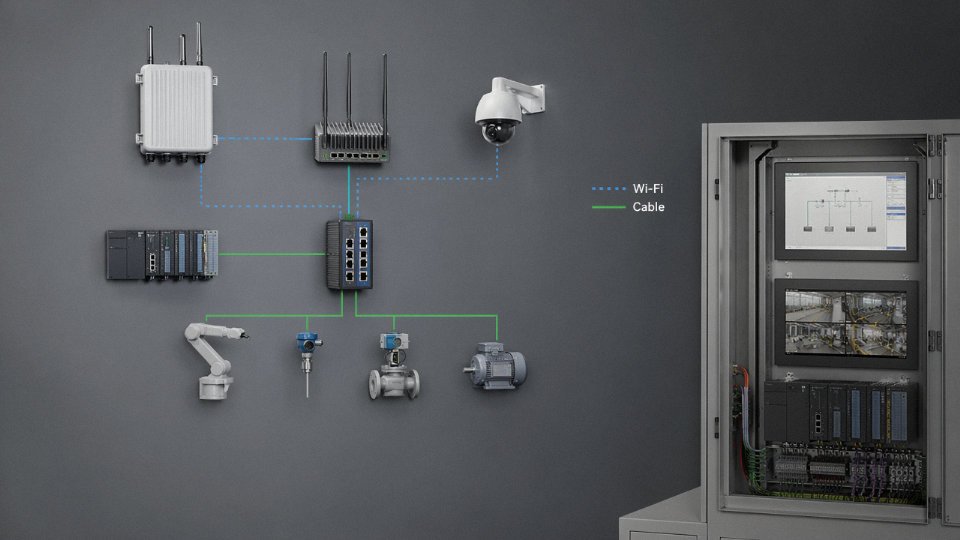
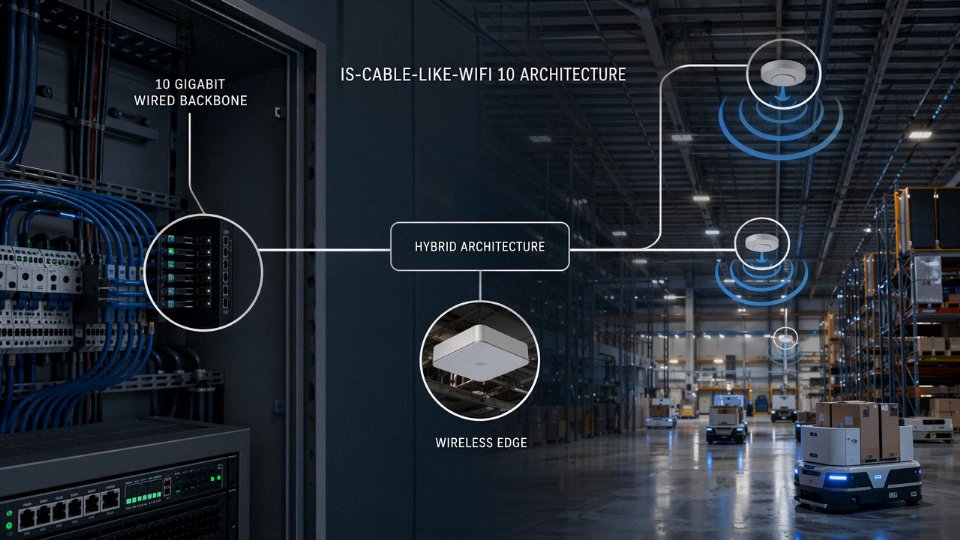
The professional consensus — and this is genuinely how enterprise networks are designed — is that cable and WiFi occupy different layers of the same architecture. Gigabit or 10G Ethernet runs the backbone. PoE switches (802.3bt for power-hungry WiFi 6E APs) feed ceiling-mounted access points at the edge. The WiFi performs well precisely because the wired backhaul is solid.
A WiFi 6E access point can deliver reliable multi-gigabit wireless performance when fed by a properly terminated Cat6A backhaul cable.True
WiFi 6E APs can support throughput requiring up to 2.5G or 10G uplinks; Cat6A is rated to 10 Gbps at 100 m and provides the headroom those APs need. Performance degradation in enterprise WiFi is frequently traced back to undersized or poorly installed backhaul cabling, not the radio hardware itself.
For AP density planning, WiFi 6 handles roughly 25–30 concurrent active devices per AP in a real office or warehouse environment — theoretical maximums are higher, but that’s the range where performance stays acceptable in practice. Design tighter than that in high-density environments like auditoriums or conference centers.
Backhaul cabling for WiFi 6E APs should be Cat6A at minimum. Cat5e is not adequate for anything running a 2.5G or 10G uplink, regardless of what the AP vendor’s quick-start guide implies. This is where bulk cable specification matters: a 200-AP enterprise deployment is also a 200-run structured cabling project, which means cable quality, batch consistency, and supply reliability are procurement-level concerns. That’s a project scale where sourcing Cat6A from a manufacturer with documented production capacity and international logistics capability — rather than piecemealing it through local distributors — typically saves meaningful time and cost.
The honest summary: design the wire first, then hang the radios off it.
Selecting the Right Cable Category and Type for Your Specific Application
Once you’ve decided wired infrastructure is the right call — and for most fixed installations above 1 Gbps, it is — the next problem is specifying the correct cable. Get this wrong and you’re either paying for performance you’ll never use, or you’re pulling cable twice because the first run can’t support the upgrade you need in three years. Neither outcome is cheap.
Copper Category Selection: Match the Category to the Real Demand, Not the Wish List
Cat5e still makes sense for cost-sensitive residential builds and light commercial spaces where 1 Gbps is genuinely the ceiling — think a small retail office with 20 workstations, no video wall, no VoIP-heavy call center load. It’s cheaper per meter and easier to terminate. That’s the whole argument for it.
Cat6 gives you better headroom at 1G (lower crosstalk, tighter tolerances) and handles the day-to-day reality of commercial environments better — longer patch runs, more congested cable trays, equipment that wasn’t installed by someone who reads spec sheets. If you’re wiring a medium-sized office and you’re not sure what the tenant will throw at it in five years, Cat6 is usually the sensible default.
Cat6A is where most new commercial construction should start, full stop. TIA-568-C.2 effectively treats it as the minimum for new horizontal runs, and for good reason: it supports 10GBASE-T at 100 m without the alien crosstalk problems that make Cat6 marginal at 10G. The cable is physically larger and stiffer — bend radius matters more, conduit fill calculations change — but those are installation details, not reasons to downspec. For any building going up today, wiring in Cat6A is cheaper than rewiring in four years.
Cat8 is a different animal. It’s designed for 25GBASE-T and 40GBASE-T, but the 30 m distance limit makes it a top-of-rack data center product, not a horizontal cabling solution. Spec it for server-to-switch spine connections, not for general floor distribution.
| Category | Max Speed | Max Distance | Typical Use Case |
|---|---|---|---|
| Cat5e | 1 Gbps | 100 m | Budget residential, light commercial |
| Cat6 | 1 Gbps (10G marginal) | 100 m | Standard commercial, office |
| Cat6A | 10 Gbps | 100 m | New commercial construction, minimum spec |
| Cat8 | 25/40 Gbps | 30 m | Data center top-of-rack |
Fiber Selection: Distance and Future Bandwidth Drive the Decision
For intra-building runs under roughly 300 m, OM3 or OM4 multimode is typically the right balance of cost and performance. OM4 handles 40G and 100G at those distances; OM5 adds wideband multimode capability for short-wavelength division multiplexing, which is worth specifying if you’re building out a new data center floor and want to hedge against 400G rollouts without pulling new glass. The price difference between OM4 and OM5 has narrowed enough that the argument for OM5 in new builds is reasonable.
For campus runs, inter-building connections, or anything over 500 m, OS2 single-mode is the answer. It supports WDM applications, handles 400G upgrades without a glass changeout, and the incremental cost of the cable itself is usually small relative to the civil work of getting it in the ground. Skimping on fiber grade for a buried campus run is a decision that tends to look bad within a decade.
Industrial and Outdoor Environments: Where Jacket and Armor Selection Actually Matter
A standard LSZH-jacketed Cat6A cable has no business in a direct-burial run or a coastal environment. UV degradation, moisture ingress, and mechanical damage from soil movement are real failure modes, not theoretical ones. For outdoor runs, UV-resistant HDPE or PE jackets are the baseline. For direct burial in rocky or disturbed ground, steel wire armor (SWA) or corrugated steel tape armor (CSTA) adds the mechanical protection that prevents a backhoe or a rodent from becoming a network outage.
Petrochemical and marine environments add chemical resistance to the checklist. Oil-resistant compound selections — typically specialized polyolefin or cross-linked PE compounds rather than standard PVC — matter when a cable runs through an area where hydraulic fluid spills or salt spray is routine. This isn’t exotic; it’s just the right jacket compound specified at the time of procurement rather than discovered missing after the first failure.
Steel wire armored cables provide mechanical protection sufficient for most direct-burial and industrial conduit applications without requiring additional conduit in many scenarios.True
SWA cables are widely specified per IEC 60502 and BS 5467 for direct-burial and heavy-duty industrial installations. The armor rating depends on the specific armor construction and soil conditions; consult the cable datasheet and local code requirements for the final determination.
Shielding: UTP, FTP, STP, SFTP — What Each Actually Buys You
Unshielded twisted pair (UTP) is fine for most office environments. The twisting itself handles moderate interference, and if the building doesn’t have significant EMI sources, you don’t need more.
Foiled twisted pair (FTP or F/UTP) adds an overall foil shield around all pairs. It helps with external electromagnetic interference — near variable-frequency drives, for instance, or in buildings with heavy fluorescent lighting infrastructure. The grounding matters: a floating shield can make interference worse, not better.
Individually shielded pairs (STP or S/FTP) go further by shielding each pair separately plus adding an overall braid or foil. This is the right call in genuinely noisy industrial environments — near welding equipment, large motors, or anywhere running parallel to power cables over long distances. It also costs more to terminate correctly and demands proper grounding discipline throughout. In practice, a lot of STP installations are hurt by bad grounding rather than helped, which is worth knowing before you specify it into a plant where the electricians aren’t used to handling it.
Jinda’s production lines supply UTP, F/UTP, S/FTP, and fully custom shielding configurations in volume, which matters when you’re procuring tens of thousands of meters for a single project and can’t afford to mix shield configurations across a run.
Standards Compliance: Why It Matters for International Procurement
Specifying the right cable category is only part of the job. For cross-border procurement, documentation of standards compliance is what gets cable through customs, into the hands of local inspectors, and accepted by the building owner’s engineers. IEC 61156 covers data cable construction; ISO/IEC 11801 defines generic cabling performance requirements; TIA-568 governs North American installations; EN 50173 covers European deployments.
Jinda’s export track record across 50-plus countries means its products are tested and documented against these standards as a matter of routine, not as a special request. For procurement managers sourcing cable for multi-country infrastructure rollouts, that consistency in test documentation reduces the risk of a single shipment failing a regional acceptance test and delaying an entire project.
Total Cost of Ownership: Installation, Maintenance, and Lifecycle Economics of Cable vs. WiFi
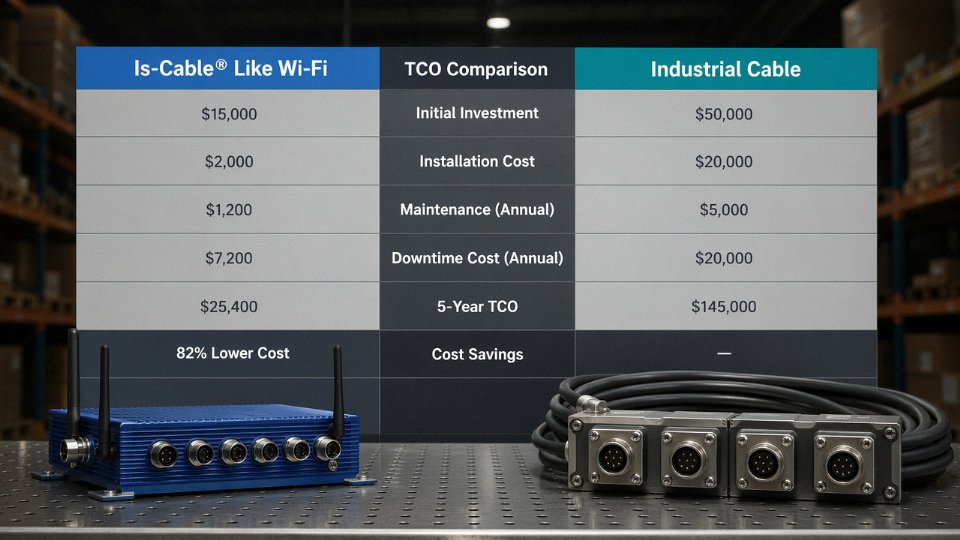
The “WiFi is cheaper” assumption comes up in almost every infrastructure budget conversation, and it’s usually wrong — or at least incomplete. WiFi can have lower day-one materials cost in certain retrofit scenarios, but once you account for licensing, refresh cycles, and the real cost of unplanned downtime, the math often flips.
Upfront Costs: What You’re Actually Paying For
A structured cabling installation breaks down into four buckets: cable itself, passive hardware (patch panels, keystones, faceplates, conduit or cable tray), labor, and testing and documentation. In North America and Western Europe, all-in cost per drop — pull, terminate, certify with a Fluke DSX or similar — runs roughly $150 to $300, sometimes higher in dense urban buildings with difficult pathways or union labor requirements. A 100-drop Cat6A project might land anywhere from $18,000 to $35,000 installed, depending on building construction, floor-to-floor distances, and whether you’re dropping into a new build or an occupied retrofit.
Enterprise WiFi upfront costs look smaller until you add everything. A decent access point — Cisco Catalyst 9130, Aruba 635, that class of hardware — runs $400 to $1,200 per unit. A properly designed deployment for a medium office or plant floor needs a professional RF site survey ($2,000–$8,000 depending on facility complexity), a controller or cloud management platform, and structured cabling to feed the APs anyway. That last point is underappreciated: every AP still needs a wired backhaul, usually Cat6A, so you’re paying for both.
Licensing and Refresh: Where WiFi’s Hidden Costs Accumulate
Enterprise WiFi cloud management platforms typically charge per-AP annual licensing fees that continue for the life of the deployment.True
No explanation available.
Over a ten-year horizon, a 40-AP deployment at $150/AP/year in licensing adds $60,000 in pure SaaS spend — before touching hardware. WiFi standards also turn over on roughly a 5–7 year cycle. The shift from 802.11ac (WiFi 5) to 802.11ax (WiFi 6/6E) forced hardware replacement across most enterprise fleets; the next generation will do the same. Structured cabling doesn’t work that way. Cat6A installed today supports 10 Gbps; the same physical plant will carry 25G or 40G BASE-T as switch technology matures, with no recabling required. The cable becomes a long-duration asset. APs become a depreciating subscription.
Downtime Economics and Failure Rates
A well-terminated, properly tested Cat6A link has a mean time between failures measured in decades. The failure modes are predictable and visible: a damaged connector, a pulled patch cord, water ingress in an outdoor run. WiFi failure modes are murkier — firmware bugs, neighboring-network interference, a new microwave in the break room, seasonal changes in RF environment as HVAC configurations shift. Troubleshooting an intermittent WiFi performance issue in a production environment can consume 8–20 hours of skilled network engineer time before root cause is confirmed. Even one such event per year, at fully loaded labor rates, starts eroding the “cheaper” WiFi narrative.
Scalability: Which Model Costs More Per Added User
Adding 20 users to a cabled infrastructure means switch ports and patch cords — call it $30–$80 per seat, depending on switch cost amortization. Adding 20 users to a WiFi deployment that’s already at 80% channel utilization may mean a new AP, revised channel plan, potential co-channel interference remediation, and a revisit to the controller configuration. Cabled scalability is close to linear. WiFi scalability has step-change costs that are difficult to predict in advance.
Procurement Scale and Material Cost
On large projects — a new manufacturing campus, a multi-floor commercial build, a port or logistics facility — cable material cost per meter matters. Vertically integrated manufacturers like Shandong Jinda, operating across five production bases with in-house R&D, compounding, and extrusion, can offer volume pricing that significantly reduces the material component of TCO for cable-based infrastructure. When you’re specifying 50,000 meters of Cat6A or industrial-grade shielded cable, the difference between a commodity distributor price and a direct factory price can shift the overall project budget meaningfully. That’s not a marketing claim — it’s basic supply chain arithmetic, and procurement managers building multi-year supply agreements understand it immediately.
The honest summary: WiFi has lower upfront cost in specific scenarios, particularly small-scale or highly mobile environments. For anything that will run for ten or more years under real load, cabled infrastructure almost always wins on total cost, and usually by a wider margin than the initial quotes suggest.
Frequently Asked Questions About Cable vs. WiFi Connectivity
Is a wired Ethernet cable faster than WiFi?
For sustained, predictable throughput — yes, by a significant margin in practice. Cat6A delivers a guaranteed 10 Gbps over runs up to 100 m. That number doesn’t fluctuate based on how many devices are active, whether someone’s microwave is running, or how thick the walls are. WiFi 6 and 6E publish theoretical peaks around 9.6 Gbps, but real-world average throughput in a busy office or plant environment typically lands somewhere between 1 and 2 Gbps — and that figure drops further under load, at range, or through obstacles.
The more important distinction isn’t raw speed; it’s determinism. Cable’s throughput is a guarantee. WiFi’s is a probability. For file transfers or casual browsing, the difference may be invisible. For time-sensitive industrial control traffic, video production workflows, or high-frequency financial data, the probabilistic nature of WiFi throughput is a genuine engineering problem, not a minor inconvenience.
Can WiFi replace Ethernet in an industrial facility?
Generally no — not for control and safety-critical systems. IEC 61918, which governs industrial communication infrastructure, treats wired cable as the backbone for exactly the reasons that matter on a plant floor: deterministic latency, EMI immunity, and reliability under fault conditions. WiFi’s vulnerability to interference from motors, VFDs, welding equipment, and even metal shelving makes it unsuitable as the primary network for PLC communications, safety interlocks, or motion control.
That said, WiFi has a real role for mobile operator terminals, handheld scanners, and areas where temporary or roaming access is needed. The architecture that works in practice is hybrid — wired backbone with wireless at the edge, not wireless replacing the backbone.
WiFi cannot reliably replace Ethernet cable for safety-critical industrial control systems due to EMI vulnerability and non-deterministic latency.True
IEC 61918 industrial network standards require deterministic communication for control and safety systems; WiFi's shared-medium contention, susceptibility to RF interference from industrial equipment, and variable latency make it unsuitable as a primary backbone for these applications.
Does cable type matter if I already have WiFi?
Yes — because every WiFi access point runs on a wired backhaul. A WiFi 6 AP with aggregate capacity up to 9.6 Gbps connected to a Cat5e uplink is throttled to 1 Gbps before a single packet goes wireless. The AP becomes the performance ceiling, not the cable or the radio. For anything beyond a modest deployment, the backhaul to each AP should be Cat6A at minimum. High-density environments — warehouses, arenas, large open offices — often warrant fiber uplinks to APs, particularly where runs exceed 90 m or EMI is a concern.
How far can an Ethernet cable run before signal degrades?
Copper twisted-pair (Cat5e through Cat6A) is rated to 100 m per TIA-568 and ISO/IEC 11801. In practice, stay under 90 m for the horizontal run and leave the remaining 10 m budget for patch cords — that’s standard structured cabling practice, not a suggestion. Beyond 100 m, signal attenuation causes errors and link instability.
Fiber extends that range considerably. OM4 multimode fiber supports 10G up to roughly 400 m. Single-mode fiber can run kilometers with the right transceivers. Compare that with WiFi’s usable indoor range of 30–60 m at decent throughput — and that’s under favorable conditions, not through a concrete wall or near interference sources.
What cable should I use for outdoor or underground installation?
Direct-burial cable needs at minimum a polyethylene (PE) outer jacket rated for soil contact and moisture. For wet or flooded conduit runs, gel-filled or dry water-blocked designs prevent moisture migration along the cable length — a failure mode that kills cables slowly and is maddening to diagnose after the fact. Mechanical protection in high-traffic or rocky soil means armored construction (steel tape or wire armor). Aerial runs in sunlight require UV-stabilized jacket compounds; standard PVC degrades and cracks within a few years of UV exposure. Jinda manufactures a full range of outdoor and direct-burial rated cables for international infrastructure projects, including armored and UV-resistant variants.
Is fiber optic cable better than Cat6A for a new building installation?
Depends on where in the building and what else the cable needs to do. Cat6A is the practical standard for horizontal runs under 100 m, especially where Power over Ethernet (PoE) is required for IP cameras, access points, or VoIP phones — fiber carries no power. Fiber wins for vertical risers, campus backbone links, and data center interconnects where bandwidth headroom and EMI immunity justify the higher material and termination cost. A sensible design usually uses both: fiber for the backbone, Cat6A to the desk or device.
How do I verify that a cable I’m procuring meets international standards?
Request test reports explicitly referencing IEC 61156 (for balanced cables), ISO/IEC 11801 (for structured cabling systems), or TIA-568 as applicable to your region and application. Third-party laboratory certification matters more than a manufacturer’s self-declaration. Check that the reports cover the specific cable part number you’re buying, not a similar product from the same family. Jinda supplies full test documentation and compliance records across its product range and has experience navigating the regulatory requirements of projects in over 50 countries — which, in practice, means familiarity with the paperwork customs authorities and project engineers actually ask for, not just the standards on paper.
Conclusion: Cable and WiFi as Partners, Not Rivals — and How to Source the Right Cable for Your Project
The title question — is cable like WiFi? — has a short answer and a long one. The short answer is no. They share a goal, connectivity, but they reach it through mechanisms so different that comparing them is a bit like comparing a water pipe to a garden sprinkler. Both deliver water. One delivers it predictably to a fixed point under controlled pressure; the other spreads it across an area, loses some to wind and evaporation, and works beautifully until you need precision.
The long answer is what this article has been building toward.
The Core Technical Gap Is Not Closing
Radio propagation through shared spectrum is inherently probabilistic. A copper or fiber run is not. That distinction drives every real-world difference covered above — the 1–5 ms latency of Ethernet versus the 20–100 ms typical of WiFi under load, the 15–20 dB wall-penetration loss that a 5 GHz signal suffers through a single concrete slab versus the roughly 0.1 dB/m loss on a Cat6A run, the deterministic security boundary of a physical conductor versus the broadcast nature of RF. WiFi 6E is genuinely impressive technology. It does not change the physics.
A Practical Decision Framework You Can Actually Use
Fixed device at a workstation, control panel, server rack, IP camera, VoIP phone, or production-line HMI? Run cable. Security-sensitive environment — finance floor, medical imaging suite, defense facility, SCADA network? Run cable, and specify the right shielding for the EMI environment. Large-scale greenfield deployment where lifecycle cost matters? Cable infrastructure pays back within three to five years in most industrial settings, depending on labor rates and rack density.
Mobile devices, guest access, warehouse pickers, temporary site offices, retail floors where rerouting cable every quarter would be absurd? WiFi is the right tool. Nobody seriously argues for running Cat6A to every handset.
The architecture that actually performs in enterprise and industrial facilities is a wired backbone with a wireless edge. Access points hardwired back to the switch, not daisy-chained over mesh. That hybrid model gets you the reliability and throughput of copper or fiber where it counts, with the flexibility of wireless at the perimeter. In my experience, the plants that have the fewest connectivity complaints are the ones that made that backbone investment early rather than trying to solve everything wirelessly and patching the gaps later.
Why the Cable You Specify Matters as Much as the Decision to Use Cable
Choosing wired over wireless is only half the decision. A Cat5e run in a high-EMI stamping plant is not the same as a shielded Cat6A or industrial-grade instrumentation cable in the same environment. Getting that specification wrong means rework, or worse, intermittent faults that take weeks to diagnose. The cable category, shielding configuration, jacket material, bend radius rating, and temperature range all need to match the actual installation environment — not a generic office assumption.
Cat6A cable supports 10 Gbps data transmission at cable runs up to 100 meters.True
Cat6A is specified under TIA-568-C.2 and ISO/IEC 11801 to support 10GBASE-T at 100 m, with an extended frequency range of 500 MHz and mandatory alien crosstalk control — verified by third-party laboratory testing and published in IEEE 802.3an.
Jinda’s Role in Your Infrastructure Project
Shandong Jinda Special Cable Group has been manufacturing cable since 1987 — 36 years of production history that covers a lot of changed specifications, tightened standards, and hard lessons about what fails in the field. Five production bases, roughly 470,000 m² of manufacturing space, over 1,000 employees, and active export relationships across more than 50 countries means the supply chain depth and compliance documentation that international procurement requires is already in place, not something that needs to be assembled per order.
For bulk procurement, that matters. Lead times, certificate packages, country-of-origin documentation, third-party test reports, and custom jacket or conductor configurations are routine work here, not exceptions.
If you are specifying cable for a new facility, retrofitting an industrial network, or sourcing for a large infrastructure project and need to confirm the right category, shielding class, or construction for your environment, Jinda’s technical team can work through the specification with you — not to sell a product off a shelf, but to confirm that what ships actually fits the installation. Volume pricing, compliance documentation, and long-term supply partnership inquiries are handled by the same team, which keeps the conversation grounded in the project rather than the transaction.
Reach out with your project details. The more specific you are about the environment, run lengths, and performance requirements, the more useful the response will be.